Free · No OBS · No laptop · Works from your phone
Stream Your Cricket Match
Free to YouTube &
Facebook Live
Cricket Scorer streams your Saturday or Sunday match directly to YouTube Live and Facebook Live using an RTMP key — no OBS, no laptop encoder, no third-party software. Your phone at the boundary is all you need. The live scorecard overlays automatically on every stream.
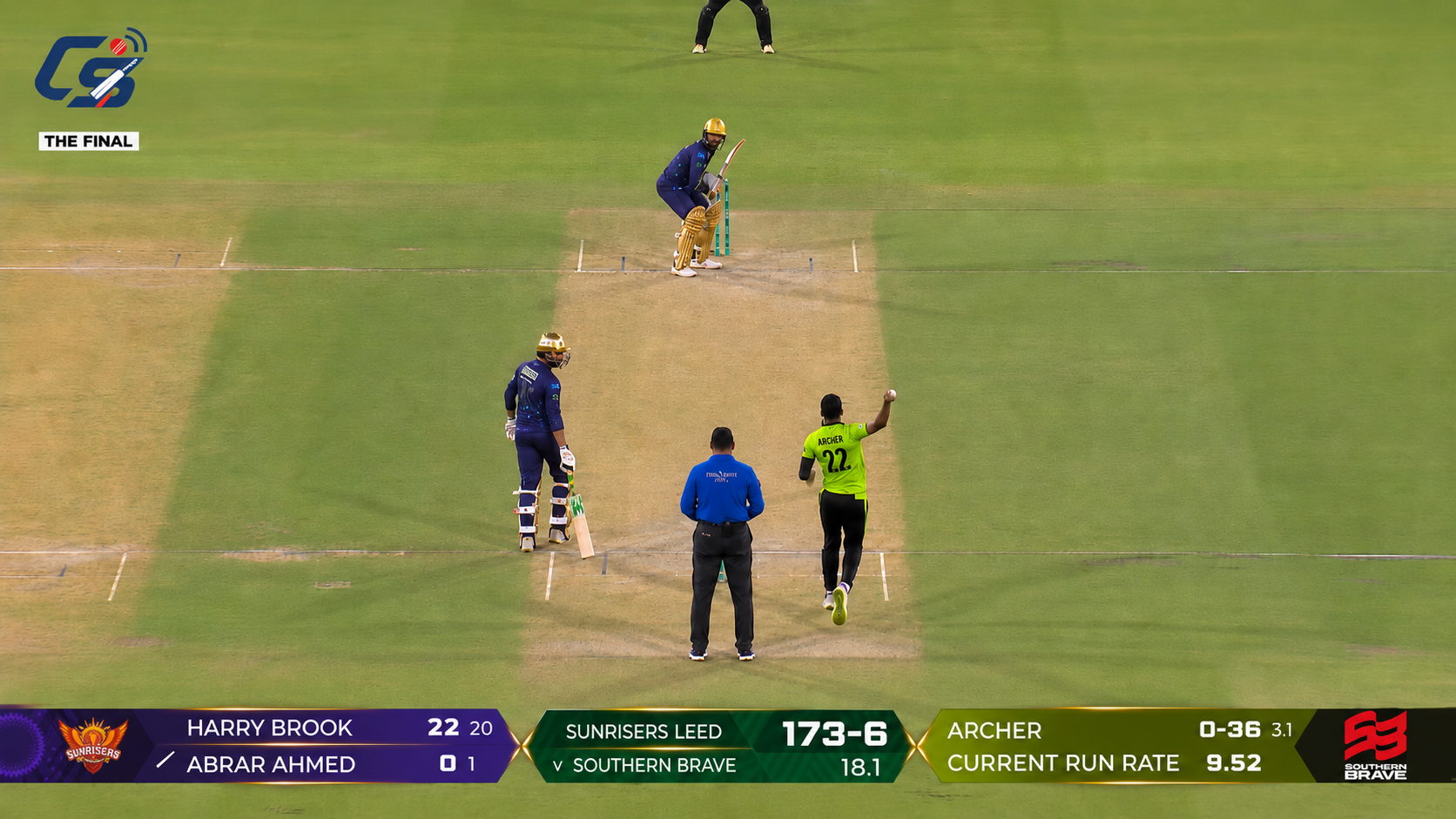
Landscape stream — live scorecard bar overlaid automatically
The people who couldn't make it
Why stream your cricket match?
Your mate moved up north. Dad's on a Saturday shift. The in-laws want to watch. Half the group is injured and stuck at home. With Cricket Scorer, anyone who can't make it to the ground watches a proper live stream — not a shaky phone call — with the live scorecard, run rate, and ball-by-ball updates overlaid on screen. For free, from your phone, in under two minutes of setup.
| Before Cricket Scorer | With Cricket Scorer |
|---|---|
| Shaky FaceTime with no score visible | Clean live stream with scorecard overlay |
| Needed a laptop + OBS + encoder | Just your phone and an RTMP key |
| Score updates texted in the group chat | Live score overlaid on the stream automatically |
| Separate scorer + separate streamer needed | One person scores — stream updates in real time |
Portrait or landscape — your choice
Cricket Scorer supports both stream orientations. Pick the one that suits how your audience will watch.
Landscape — hold your phone sideways
Best for viewers watching on a TV, laptop, or desktop screen. The live scorecard renders as a professional broadcast bar along the bottom — showing batsman scores, team total, overs, bowler figures, and current run rate. Ideal for a Saturday league fixture you want to broadcast properly.
- ✓Full broadcast-style scorebar at the bottom
- ✓Team logos, batsmen, bowler, run rate all visible
- ✓Best for TV and desktop viewers
- ✓Recommended for Saturday league streams
Landscape output — scorebar at the bottom
Portrait — hold your phone upright
Best for viewers watching on a mobile phone — which is how most of your mates will tune in via YouTube or Facebook on a Saturday afternoon. The live score displays as a clean overlay at the top of the screen — target, runs, wickets, and overs — over the full pitch view below.
- ✓Score overlay at the top — target, runs-wickets, overs
- ✓Full pitch visible below the score
- ✓Best for mobile viewers on YouTube & Facebook
- ✓Ideal for Sunday knockabouts and park cricket
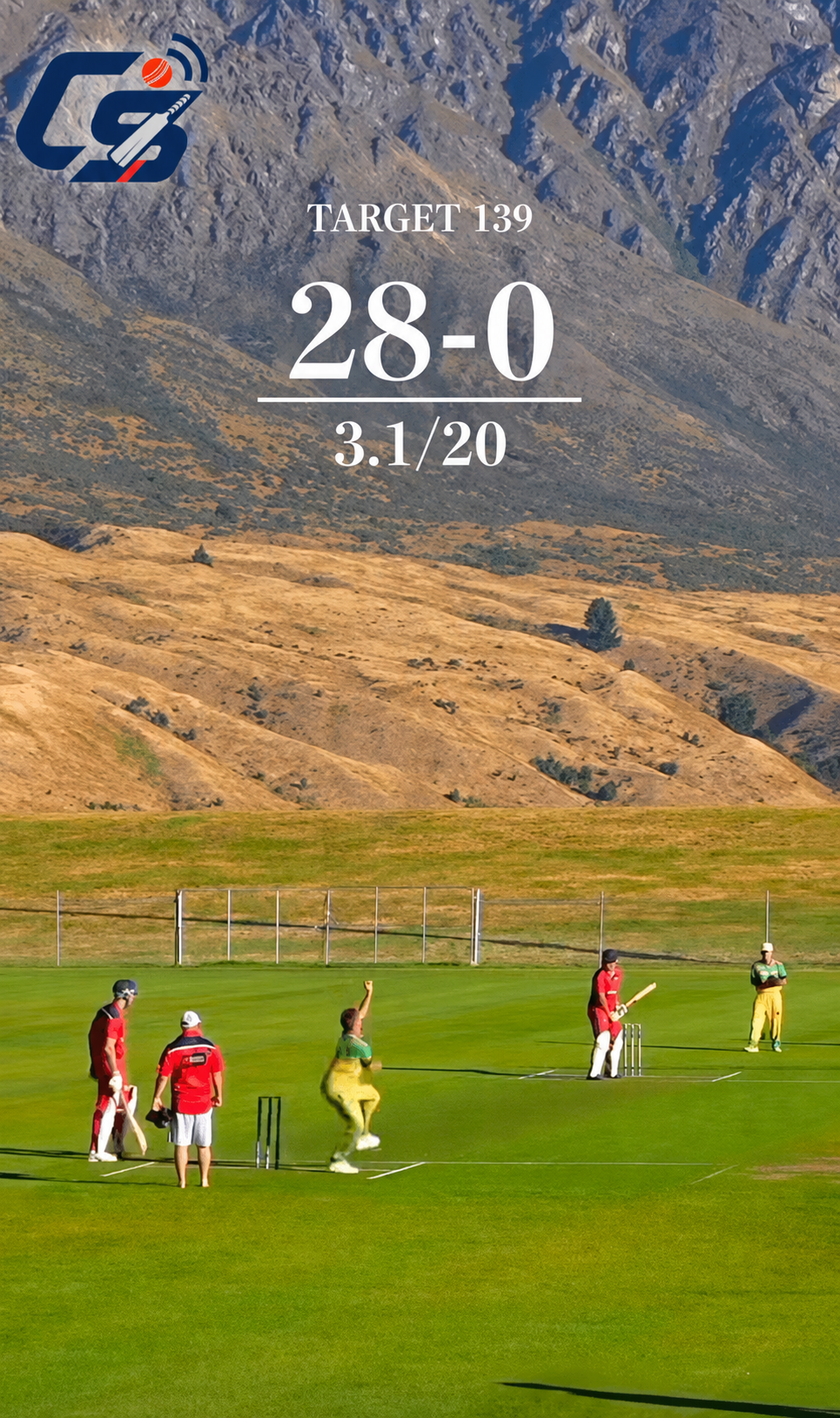
Portrait output — score overlay at the top
How to go live — step by step
Choose your streaming platform then follow the steps. From nothing to live in under two minutes.
Get your YouTube or Facebook Stream Key
In YouTube Studio, go to Go Live → Stream → Stream key and copy it. Never used Stream key before? Full guide: how to get your YouTube stream key → and Full guide: how to get your Facebook stream key →
Open Cricket Scorer → Live tab
Open the app during your match and tap the Live tab at the bottom of the screen.
Select YouTube from Stream To
In the Stream To dropdown, select YouTube.
Paste your stream key
Paste it into the YouTube Stream Key field. Set your camera source, microphone, video quality (480p recommended), and stream orientation.
Choose portrait or landscape
Select Landscape (hold sideways) for TV/desktop viewers, or Portrait (hold upright) for mobile viewers. Hold your phone in that orientation before starting.
Start Camera → GO LIVE
Tap Start Camera first to check the view, then tap GO LIVE. Your match streams to YouTube with the live scorecard overlaid automatically. Share the YouTube link in your WhatsApp group — done.
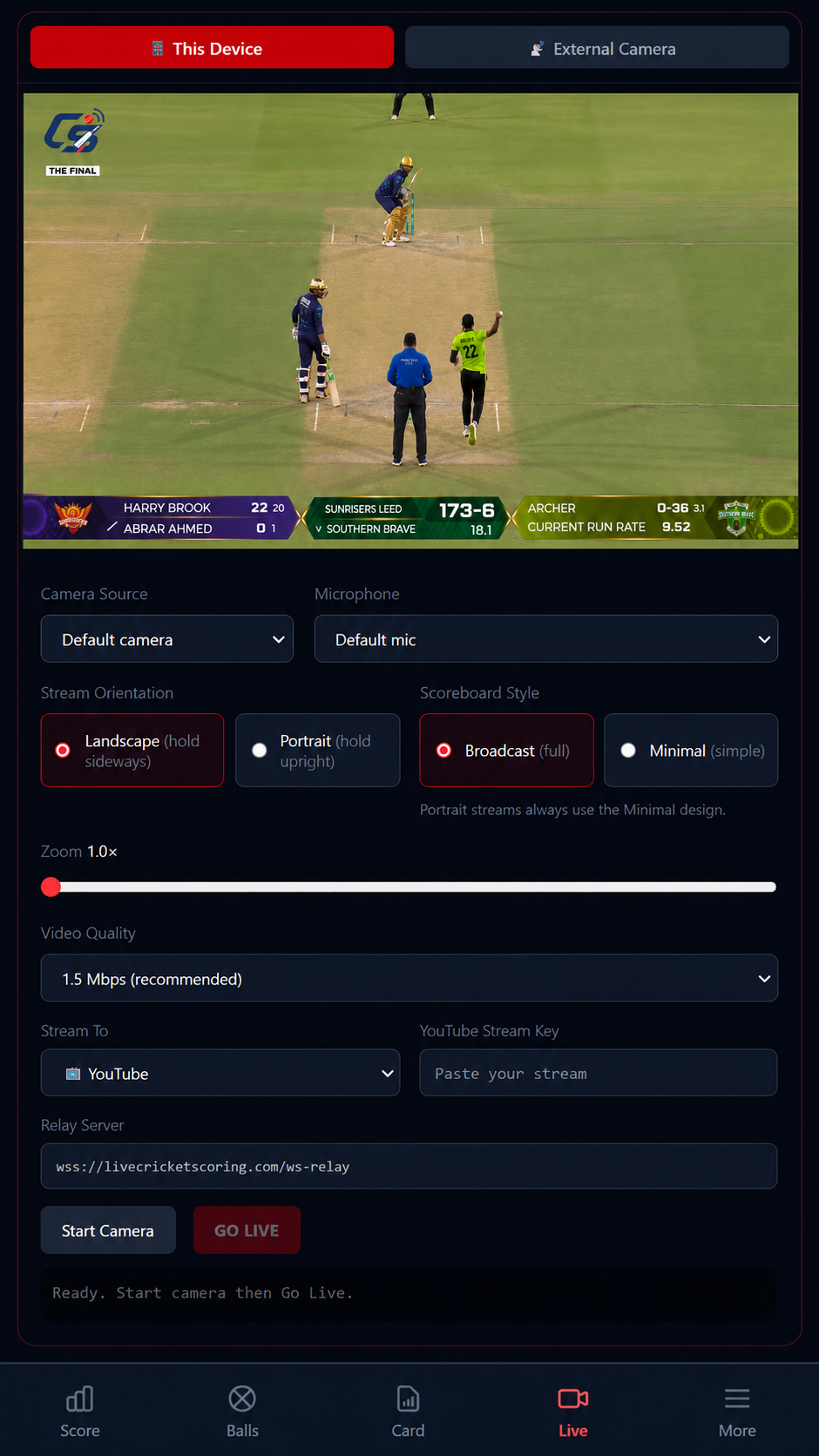
The live streaming setup screen in Cricket Scorer
Get your Facebook Stream Key
In Facebook, go to Live Video → Advanced Settings → Stream Key and copy it. Never streamed on Facebook before? Full guide: how to get your Facebook stream key →
Open Cricket Scorer → Live tab
Open the app during your match and tap the Live tab at the bottom of the screen.
Select Facebook from Stream To
In the Stream To dropdown, select Facebook.
Paste your stream key
Paste it into the Facebook Stream Key field. Set your camera source, microphone, video quality (480p recommended), and stream orientation.
Choose portrait or landscape
Select Landscape (hold sideways) or Portrait (hold upright). Most Facebook viewers on mobile prefer portrait.
Start Camera → GO LIVE
Tap Start Camera to preview, then GO LIVE. Your match streams live to Facebook with the scorecard overlay — share the Facebook Live link in your group or club page.
Select Facebook in the Stream To dropdown
Recommended settings for UK park & ground conditions
480p
Video quality
1.5 Mbps
Video bitrate
RTMP
Protocol
Free
Cost
480p at 1.5 Mbps works reliably on standard UK 4G at most park and recreation grounds.
Live streaming — common questions
Do I need OBS to stream cricket?
No. Cricket Scorer streams directly to YouTube and Facebook using your RTMP key — no OBS, no laptop, no encoder needed.
Is live cricket streaming free?
Yes — streaming to YouTube Live and Facebook Live is free on Cricket Scorer. You need a free YouTube or Facebook account with live streaming enabled on your channel.
Can I stream in portrait and landscape?
Yes. Cricket Scorer supports both orientations — the scorecard overlay adapts automatically. Landscape suits TV and desktop viewers; portrait suits mobile viewers.
What video quality should I use?
480p at 1.5 Mbps is recommended — it streams reliably on typical UK 4G mobile data at park and recreation grounds where signal isn't always strong.
Does the scorecard overlay update automatically?
Yes. As you score each ball in Cricket Scorer, the overlay on the live stream updates in real time — viewers see the score change without you doing anything extra.
Related guides
Guide
How to get your YouTube stream key →
Step-by-step: find and copy your RTMP key in YouTube Studio.
Guide
How to get your Facebook stream key →
Step-by-step: find your RTMP key in Facebook Live Producer.
Guide
How to live stream cricket free →
Everything you need to stream a Saturday or Sunday match for free.
Ready to go live this Saturday?
Install Cricket Scorer free, grab your RTMP key, and stream your next match to YouTube or Facebook — scorecard included, no extra kit needed.